TutorialStefan VaskevichStefan Vaskevich

ワンプロンプトで完成する 3D キャラクター参考素材:Higgsfield + Claude 向け無料 Pipeline Skill

1 枚のキャラクター画像から完全な 3D 参考パックを生成する、無料・既製の AI Skill。ストリクトフロント A-pose シート、パーツ分離、マルチビュー投影、360° ターンテーブルまで対応。Higgsfield Supercomputer、Claude Code、Codex をはじめ、ほとんどのエージェント系プラットフォームで動作します。

この記事は現在、英語版のみ提供しています。

Generating clean 3D character references by hand is a friction trap. You prompt for a strict-front A-pose; the model hands you a 3/4 hero shot. You prompt the same character three times and get three slightly different faces, three slightly different palettes, three different hat angles. None of the parts fit back together when you try to assemble them in 3D.

The fix is mechanical, not artistic: lock the rules, lock the camera angle, lock the model choice, run the same regimen every time. That is exactly what a skill is for. Skills are packaged, repeatable instruction sets that an AI agent follows step-by-step — same prompts, same gates, same verifier — so the output is consistent across runs and across operators. Anthropic introduced them as a primitive earlier this year; the full primer is on anthropic.com/news/skills.

This page hands you a ready-made skill — Character Sheet Pipeline — that turns one character image into a complete production-ready 3D reference pack. Strict-front A-pose sheet, supplementary multi-view sheet, isolated parts that match the same orientation, optional side+back projections, and an optional 360° turntable. All gated, all verified, no 3/4 drift.

Download the skill

Works in Higgsfield Supercomputer, Claude Code, and Codex — plus most other agentic platforms that read skill files (ChatGPT Projects, OpenAI Agents SDK, OpenClaw, Hermes, and similar).

What you get back

One uploaded character → a structured folder you can drop directly into Tripo, Hunyuan, Rodin, Pixal3D, or any image-to-3D generator. The run below started from this single reference image of a chibi arctic-fox wizard:

Single input reference: chibi arctic-fox wizard
Input — one character image.
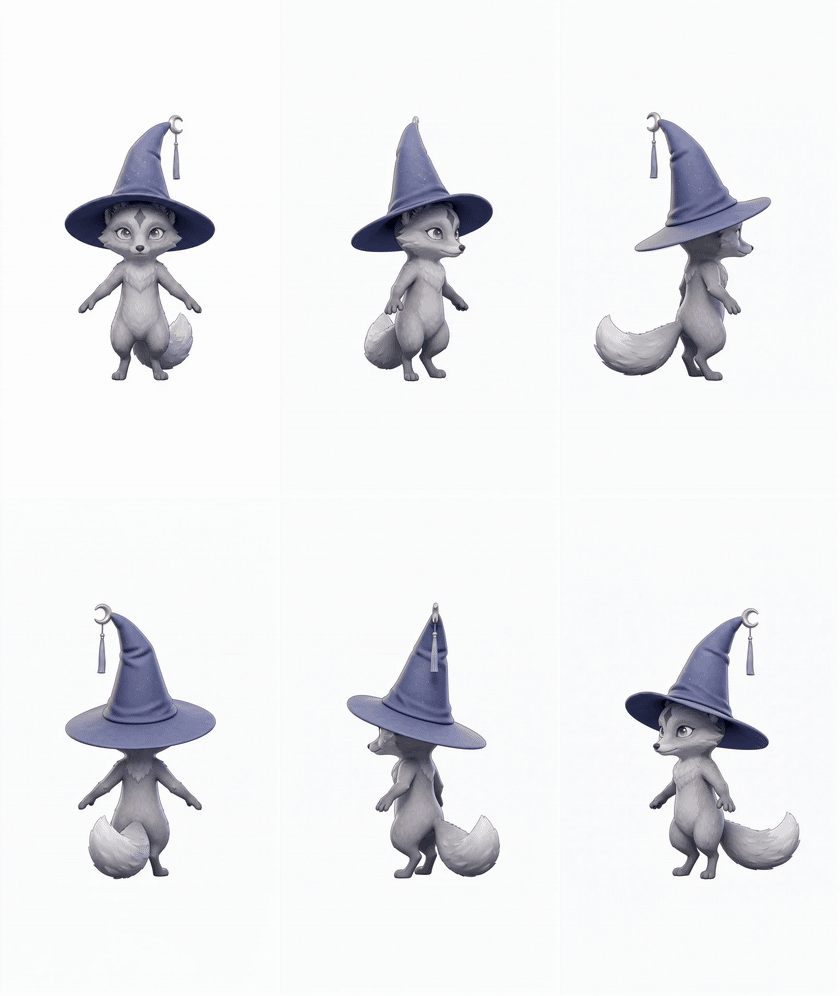
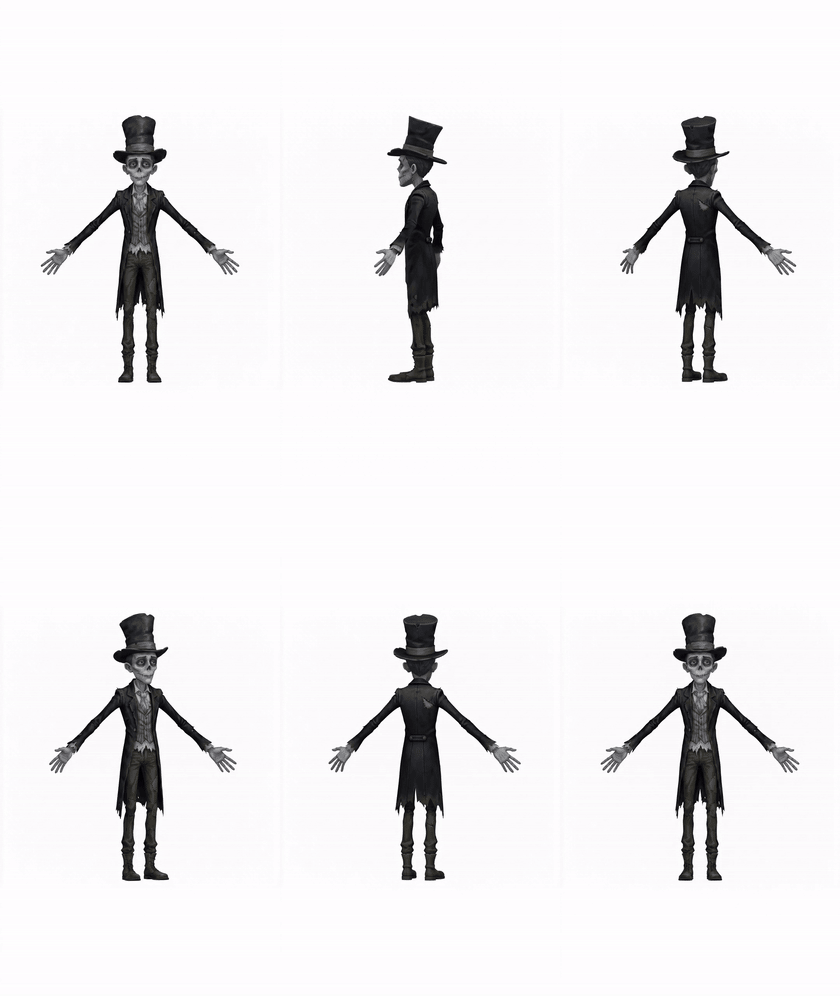
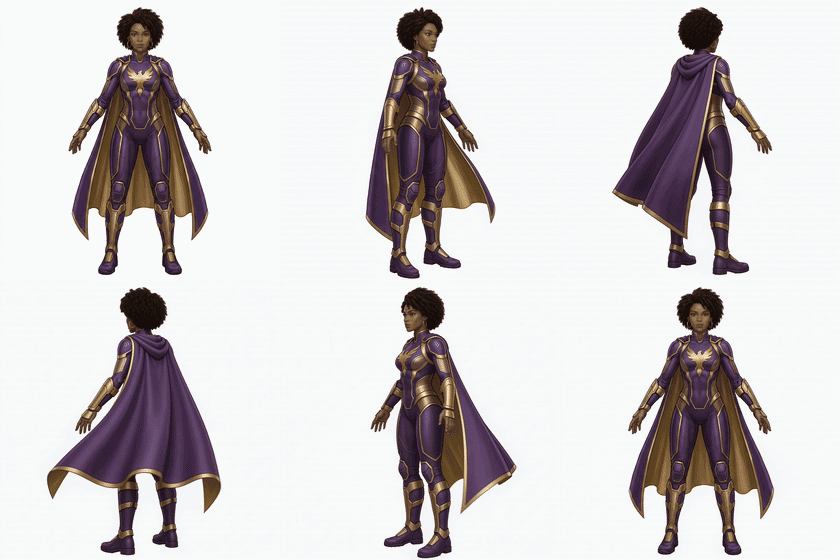
Full output pack — A-pose sheet, multi-view sheet, isolated parts, and multi-view extracts
Output — Stage 2A strict-front sheet, Stage 2B multi-view sheet, five strict-front part extracts (Head, Body, Hat, Spellbook, Tail), and four multi-view projections (Head and Body, side + back).
360° turntable of the fox wizard character — locked camera, full rotation
Optional Stage 6 — 360° turntable for any asset you approve at Gate 3. Locked-camera orbit, rendered by Seedance 2.0.

The folder layout the skill writes for you:

character_pack/
  00_sheet/
    01a_apose_front.png         # strict front, 2K (Nano Banana Pro)
    01b_character_sheet.png     # 16:9, 3 projections + accessories (GPT-Image-2)
    parts_inventory.md
  01_parts/
    head_front.png              # strict front, 2K
    body_front.png              # strict front, in-pose
    hat_front.png
    spellbook_front.png         # one per accessory
    tail_front.png
  02_multiview/                 # only for parts you approve at Gate 2
    head_side.png
    head_back.png
    body_side.png
    body_back.png
  03_360/                       # only assets you approve at Gate 3
    full_character_360.mp4      # locked-camera orbit
  manifest.json                 # parts, models, seeds, cost, retry log

How to use it

Download the archive, send it to your agent (Higgsfield Supercomputer, Claude Code, Codex, ChatGPT, the OpenAI Agents SDK, or any skill-aware tool), and ask it to install the skill. There is no per-platform setup — the agent reads SKILL.md, registers it under its skill name, and the workflow is available the next time you upload a character image and ask for a reference pack.

Want to go further? You can fork this skill and tailor it to your own pipeline — swap models, change gate scope, add a custom part category — and most agentic platforms ship a skill-builder skill of their own to help you do it. Claude Code, for instance, has an official skill-creator skill that scaffolds a new skill from a short description; ChatGPT and Codex have analogous tools. Once you have a working skill, the same install flow applies everywhere.

The cardinal rule — STRICT FRONT, never 3/4

The single hardest problem in image-to-3D pipelines isn't generating parts — it's generating parts that fit back together when modeled separately. The seams match only if every part is shot at the same camera angle as the sheet itself.

So the skill enforces one rule everywhere: every body part, every paired item, every accessory is generated at dead-front camera angle, matching the strict-front A-pose. Never "3/4 outer view", never "hero angle", never "presentable showcase". Side and back views exist — they belong to a dedicated multi-view stage, not as the default angle.

Image models default to 3/4 because it looks prettier. That preference is correct for marketing renders and wrong for 3D pipelines. The vision-classifier verifier inside the skill exists specifically to fight that default — every strict-front output is checked, and 3/4 drift triggers an automatic retry before anything ships.

The pipeline — 8 stages, 3 gates

The skill walks through 8 stages with 3 explicit approval points so you never burn credits on something you didn't ask for:

StageWhat happensModel
1 · IntakeReads the uploaded image + your brief. Summarises what was detected. You confirm.
2A · A-pose sheetStrict-front A-pose, 2K, white background, flat light. Source of truth for every downstream part.Nano Banana Pro
2B · Multi-view sheetSupplementary 16:9 sheet — front/side/back + accessories laid out. Visual aid only.GPT-Image-2
3 · Gate 1Proposes a parts inventory. You confirm what to extract, skip, or add.
4 · Part extractionOne strict-front image per approved part at 2K, anchored to the Stage 2A sheet.Nano Banana Pro
4.5 · VerifierVision classifier checks every strict-front output. Hard-fail → escalated retry. Up to 2 retries before escalating to you.GPT-4 / GPT-5 vision
5 · Gate 2 + Multi-viewProposes which parts get side + back projections. You approve. Renders them.Nano Banana Pro
6 · Gate 3 + 360sQuotes credit cost. You pick: all assets, full character only, or custom. Locked-camera 360° orbit per asset.Seedance 2.0
7 · PackageAssembles the folder, writes manifest.json with seeds, costs, and the per-retry verdict log.
Stage 2B is the only place a non-Nano-Banana model is used — GPT-Image-2 composes multi-projection layouts better. Everything else stays on Nano Banana Pro for character continuity.

The methodology behind it

The skill is a direct port of a 4-step manual workflow — ideation, clean sheet, parts, views — that gets shipped before any 3D modeller touches a generator. The manual version is documented in detail with a full piglet-character walkthrough and the reasoning behind each rule:

→ Read the full 4-step character reference workflow

If you've never built a reference pack manually, that piece is the better starting point — it explains why each constraint in the skill exists. The skill itself is the "press play" shortcut once those rules are familiar.


これらのツールを自分で比較してみませんか?3D AIアリーナをご覧ください。

ワンプロンプトで完成する 3D キャラクター参考素材:Higgsfield + Claude 向け無料 Pipeline Skill | Top 3D AI